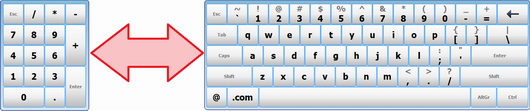
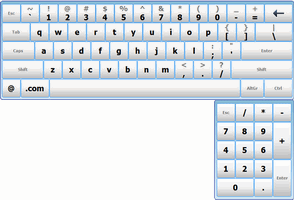
How to activate different keyboards
You can specify different types of on-screen keyboards to be displayed. Please use any of the following methods.
Method 1
Change the KeyboardName registry parameter at HKEY_CURRENT_USER\Software\ComfortSoftware\hvk from your software.
If the on-screen keyboard is visible, send the Windows message PostMessage(FindWindow('TFirstForm', 'hvkFirstForm'), WM_CSKEYBOARD, 1, 0), and our application will reload the on-screen keyboard.
Method 2
Download this file: https://hotvirtualkeyboard.com/files/SetNameKB.exe
Command format: SetNameKB.exe "keyboard name"
Example:SetNameKB.exe Mini
Method 3
You can use Windows Messages to change the keyboard.
Example:char KeyboardName[80]; COPYDATASTRUCT MyCDS; KeyboardName = "Standard"; // Fill the COPYDATA structure // MyCDS.dwData = 1; // function identifier MyCDS.cbData = sizeof( KeyboardName ); // size of data MyCDS.lpData = &KeyboardName; // data structure // // Call function, passing data in &MyCDS // HWND hwDispatch = FindWindow( "TFirstForm", "hvkFirstForm" ); if( hwDispatch != NULL ) SendMessage( hwDispatch, WM_COPYDATA, (WPARAM)(HWND) NULL, (LPARAM) (LPVOID) &MyCDS );